Tasks, standups, and an AI assistant for small teams. Share a link, pick a name, start shipping.
How it works
Up and running in 10 seconds
Create a workspace
Share the link. That's your key.
Add your team
Send email invites or share the link. No passwords needed.
Start shipping
Tasks, standups, health at a glance.
Features
Everything your team needs. Nothing it doesn't.
Zero-friction start
Share a link. Pick a name. No passwords, no signup forms, no friction.
Real-time sync
Every change appears instantly for all teammates. No refresh needed.
Today View
Daily dashboard showing exactly what needs doing, grouped by project.
Project Health
Health dots show momentum at a glance — green, yellow, or red.
Built for teams
Avatars, assignment, async standups, and a shared activity feed.
Smart notifications
Know when you're assigned, blocked, or about to break your streak.
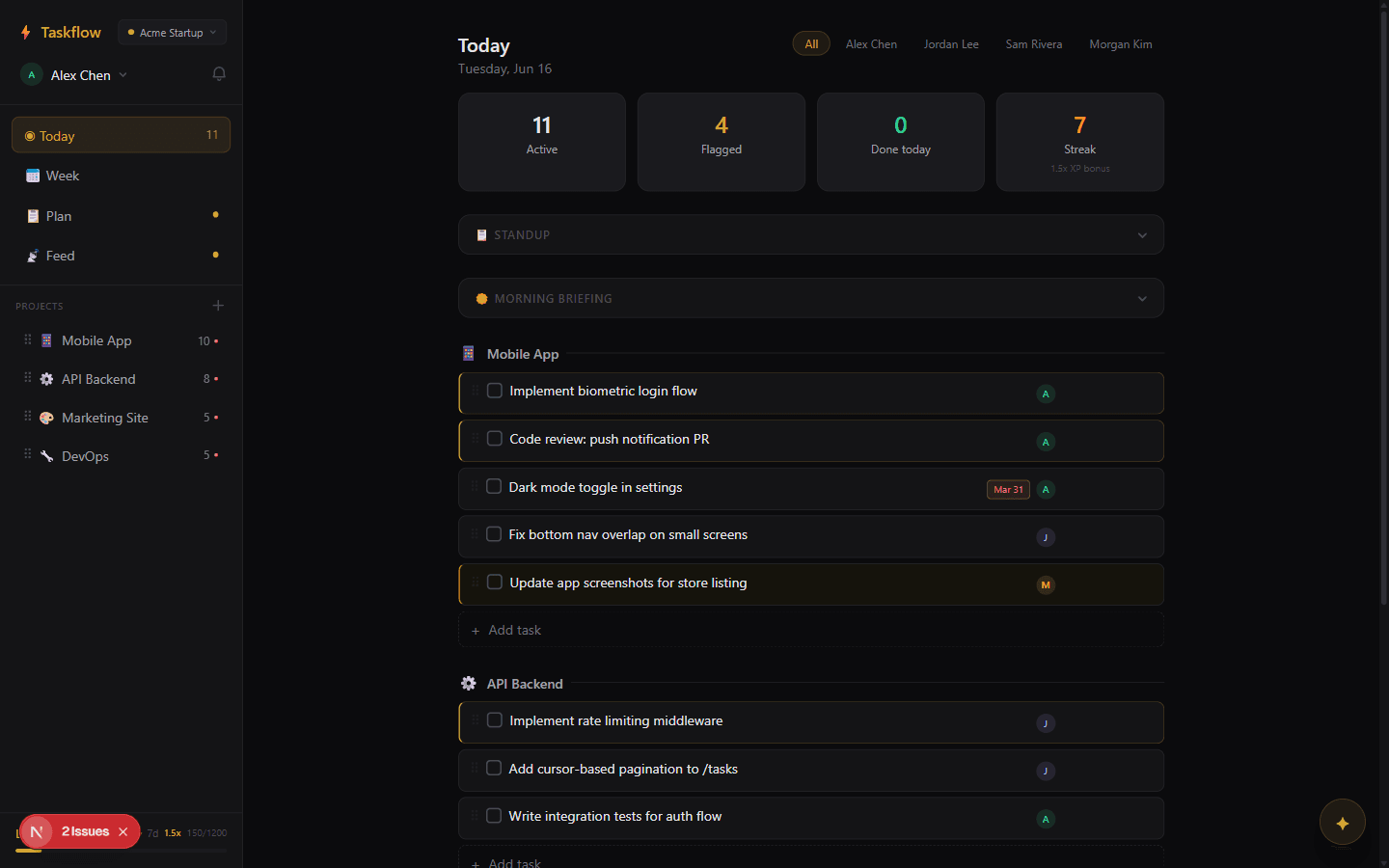
Your day, organized
See all your tasks grouped by project. Filter by teammate, track live stats, and know exactly what needs doing today.
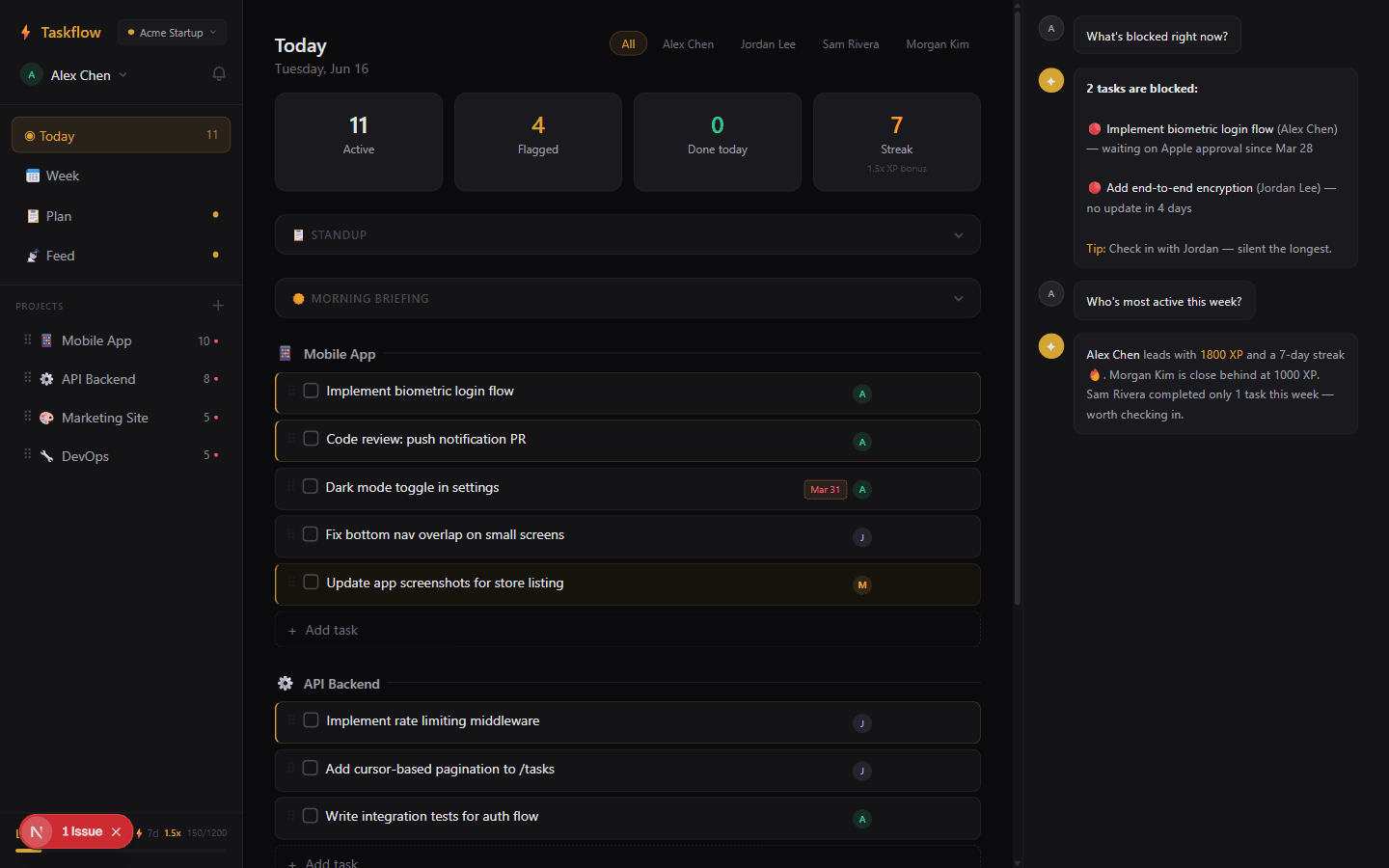
An AI that actually knows your workspace
Copilot reads your tasks, standups, and project activity. Ask what's blocked, who's stuck, or what to ship next — and it answers with real context.
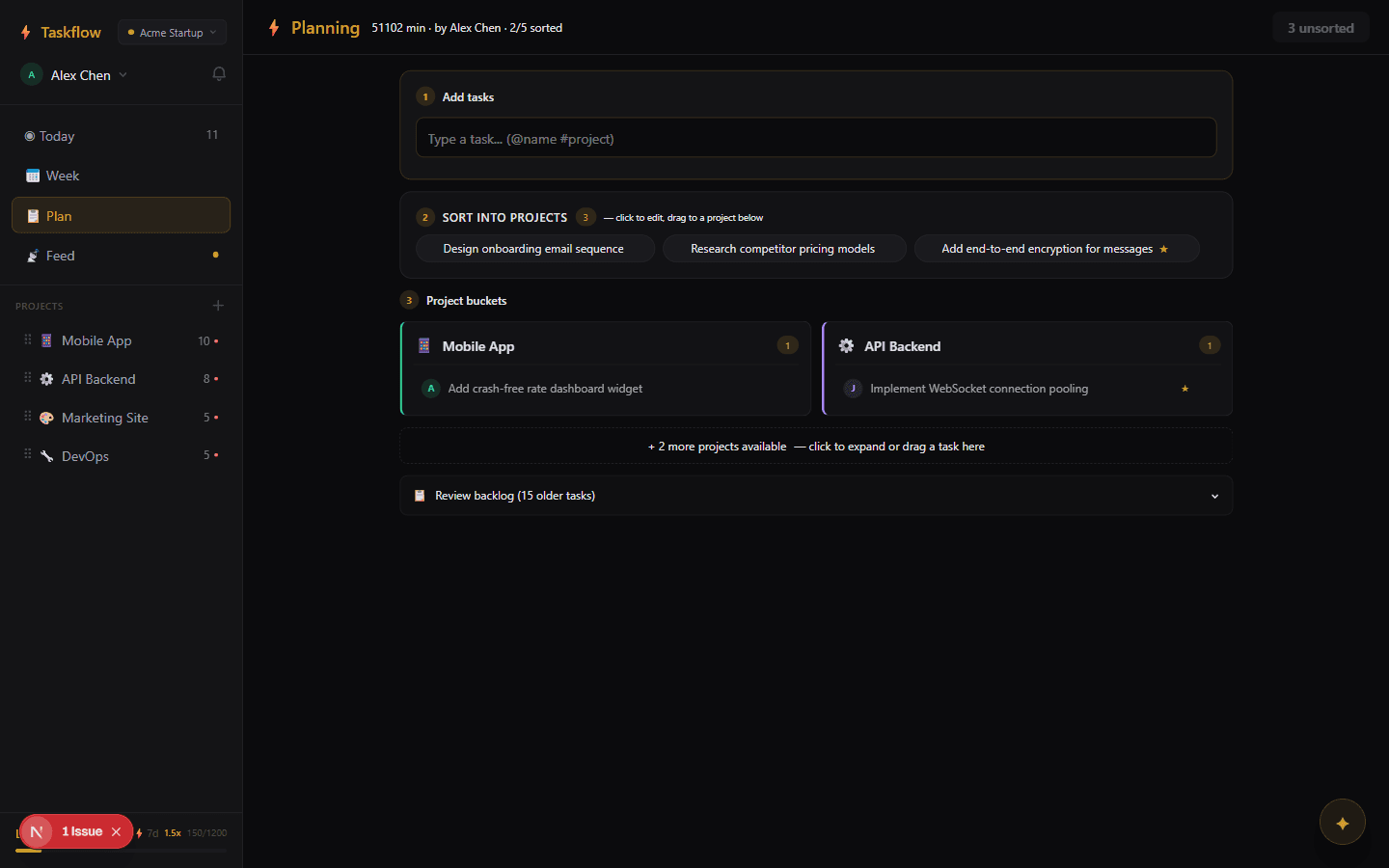
Run planning sessions your team will love
Capture tasks, assign with @name and #project, then sort into project buckets. A lightweight planning ritual that replaces your Monday standup.
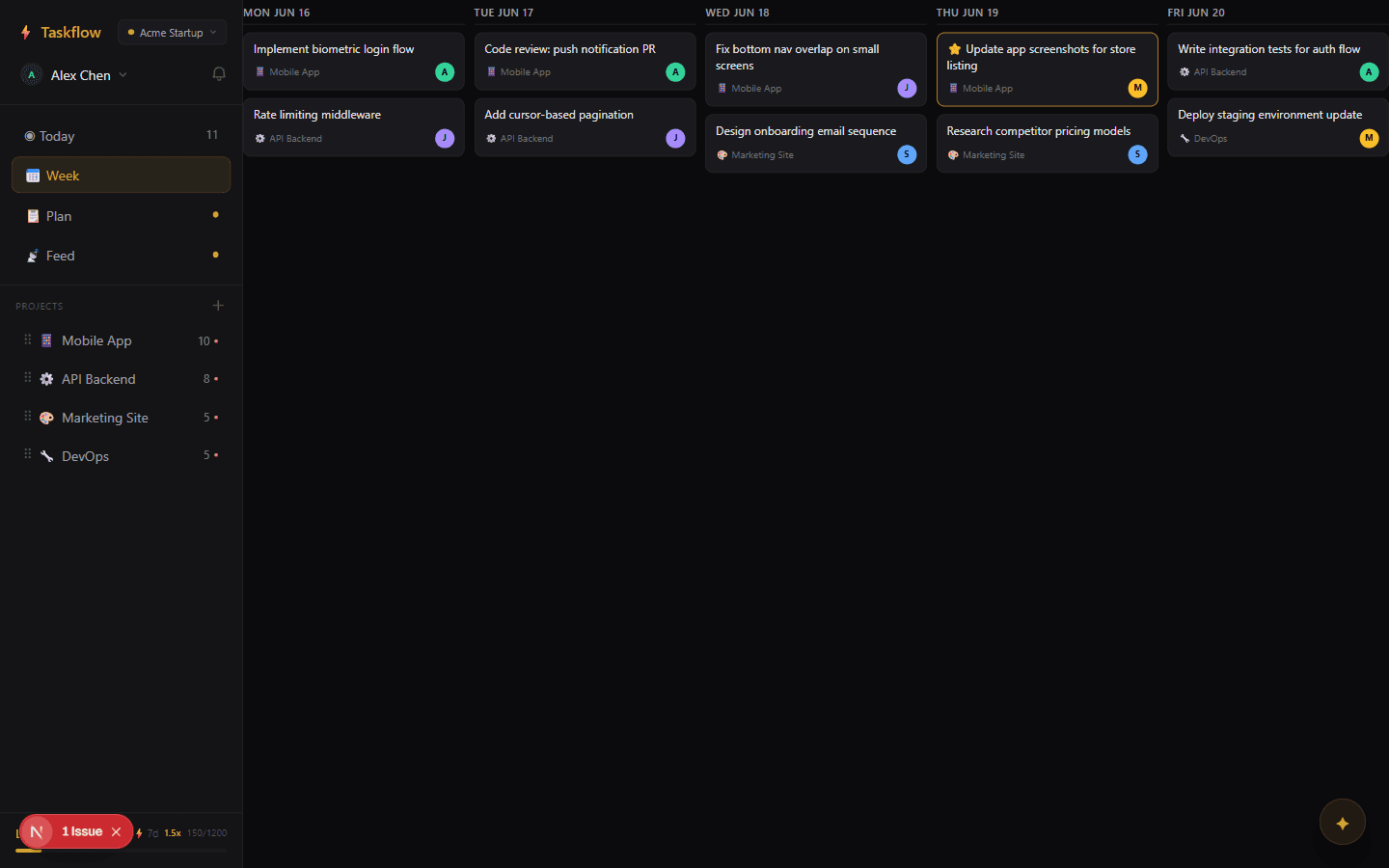
Plan the whole week at a glance
Drag tasks onto days, see what's on deck, and balance load across the team. Soft scheduling — no due-date anxiety.
Replace meetings with async standups
Yesterday, Today, Blockers — posted straight into the team feed. Everyone stays in the loop without interrupting flow.
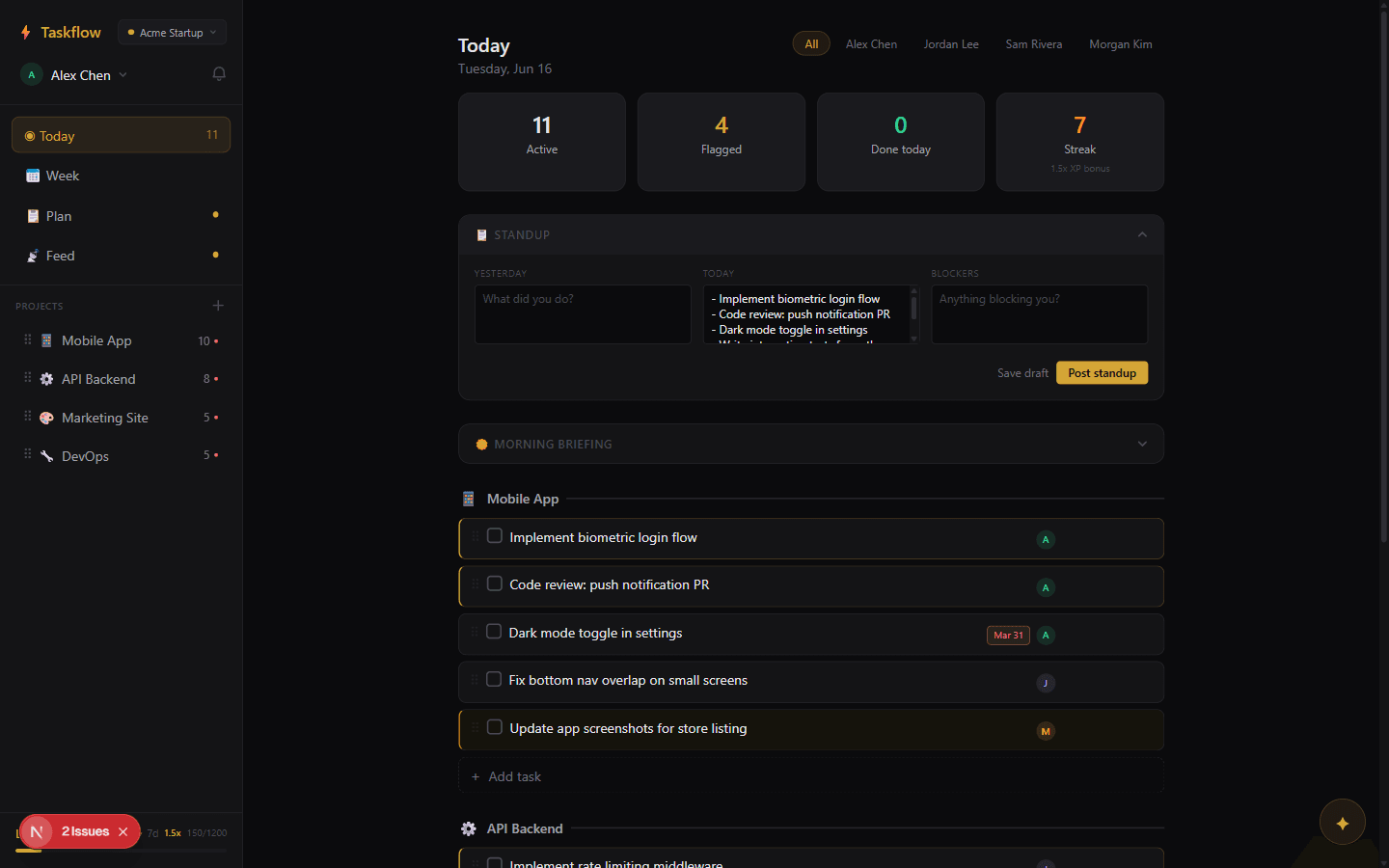
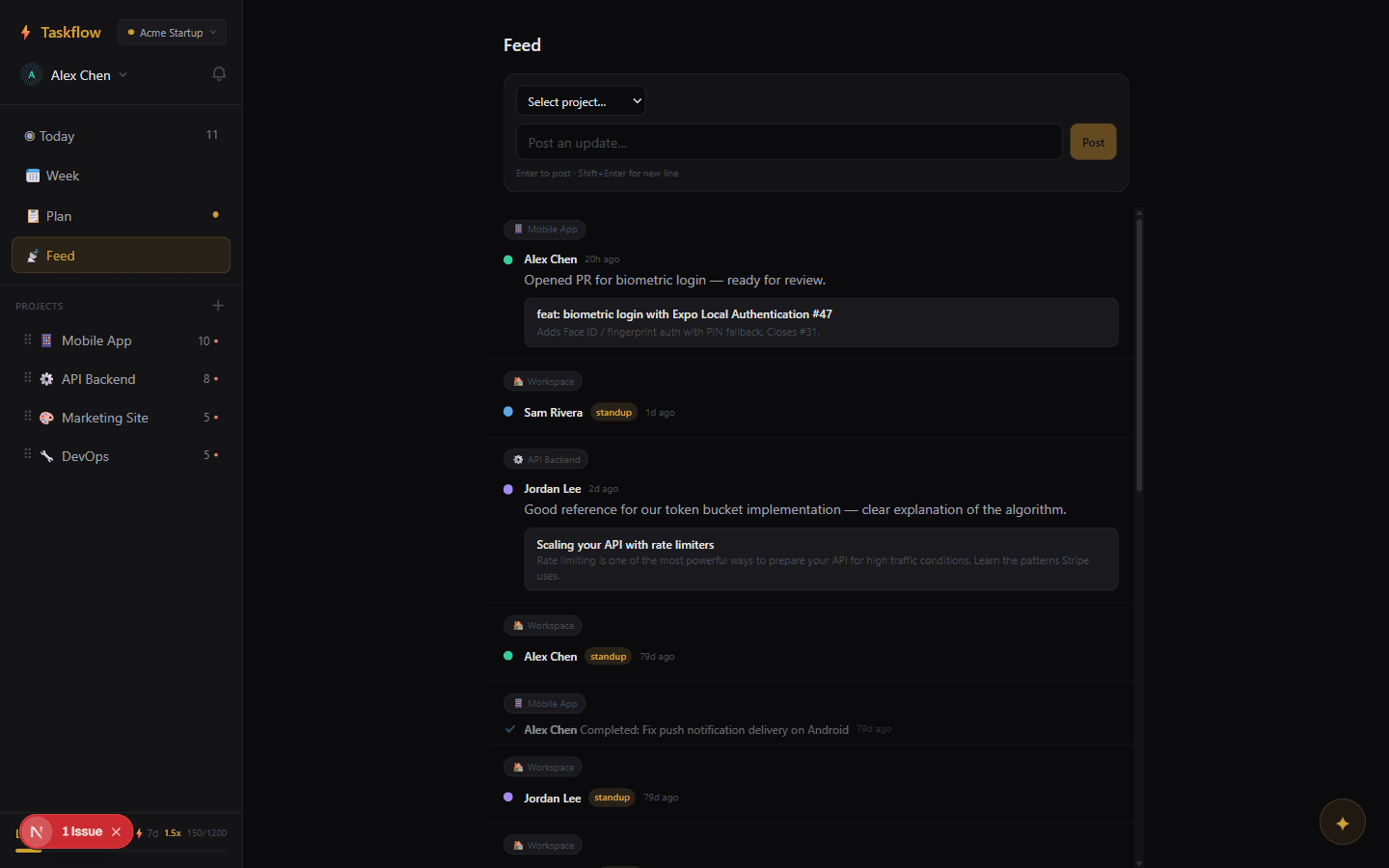
See the team's heartbeat
A single activity feed with standups, completions, and blockers. Project health dots turn yellow and red automatically when momentum slips.
Command everything from your keyboard
Two shortcuts to rule them all. The command bar for quick actions, and Copilot AI for intelligent answers about your workspace.
Turn productivity into a game your team wants to play
Earn XP for completing tasks, maintaining streaks, and clearing blockers. Level up, unlock multipliers, and climb the team leaderboard.
- +10 XP per task completed
- +20 XP for important tasks
- 1.5x multiplier at 7-day streak
Compare
How Taskflow stacks up
| Feature | Taskflow | Trello | Linear | Notion |
|---|---|---|---|---|
| No passwords (magic link) | ||||
| Real-time sync | ||||
| Copilot AI | ||||
| Gamification (XP & streaks) | ||||
| Free forever | ||||
| Async standups | ||||
| Planning sessions |
No passwords (magic link)
Real-time sync
Copilot AI
Gamification (XP & streaks)
Free forever
Async standups
Planning sessions
FAQ
Common questions
Yes. Your workspace URL acts as a private access key — only people with the link can see your data. All communication is encrypted via HTTPS, and data is stored in a secure PostgreSQL database on Supabase infrastructure.
Only if they have the workspace URL. Treat it like a shared document link — anyone with the URL can join and participate. Don't share it publicly if you want it private.
If you've visited the workspace before, it's saved in your browser. You can find it on the start page. Otherwise, ask a teammate to share the link again.
No catch. Taskflow is free with no usage limits. We believe small teams shouldn't pay enterprise prices for basic task management.
Copilot reads your workspace context — tasks, projects, standups, and activity — and answers questions with real data. Ask "what's blocked?" or "who's working on what?" and get instant, accurate answers.
Taskflow is optimized for small teams of 2-8 people. There's no hard cap, but the interface is designed for tight-knit collaboration rather than large organizations.
Your data lives in a standard PostgreSQL database. We're working on a one-click export feature. In the meantime, reach out and we'll help you get your data.
Yes. Send email invites directly from your workspace. Teammates get a link to join with one click. There's also a simple share-the-URL option for quick adds.
Yes. In Settings > Copilot, you can add your own Anthropic API key. Copilot works with the workspace context regardless of which key powers it.
Taskflow shows an end-of-day review where you can triage remaining tasks — move them to tomorrow, mark as done, or flag as blocked. It helps the team close the day cleanly.
Pricing
Free. Forever. No catches.
per team, forever
- Unlimited workspaces
- Unlimited team members
- Unlimited tasks & projects
- Copilot AI assistant
- Real-time collaboration
- Async standups & feed
- Gamification & streaks
- Week planning view
- Smart notifications
- Planning sessions
- Email invites
- Blocked task tracking
- EOD daily review
- Bring your own AI key
- Guided onboarding
Ready to ditch the busywork?
Create a workspace in 10 seconds. No credit card, no signup form.
Start free